
Your mix, live in their ears.
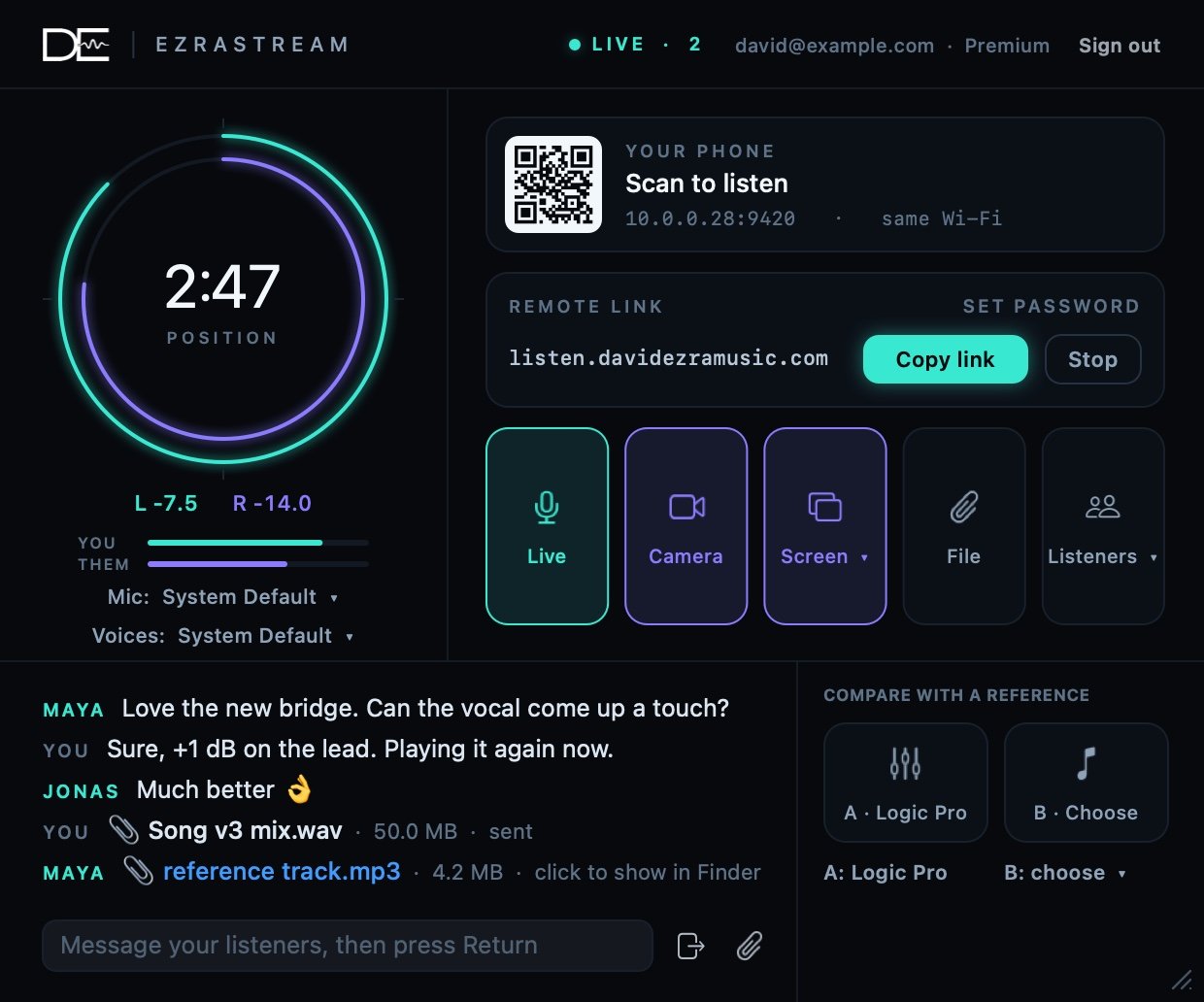
EzraStream streams your session to clients anywhere with studio-quality sound and ultra-low latency: straight from your DAW, like Pro Tools or Logic Pro, or from any app on your Mac, like a browser or a music player. Talk to them, see each other, share your screen and send files, all while the music plays.
Made for musicians, by musicians.
Free download for macOS. Your clients just open a link: no app, no account.
Plugin for AU, VST3 and AAX, or a standalone app for any audio device
- Pro Tools
- Logic Pro
- Ableton Live
- Cubase
- Studio One
- Reaper
- and more
The whole session. One tool.
Everything you need to run a session with a client who isn't in the room, without juggling Zoom, WhatsApp, a screen-share app and WeTransfer at the same time.
All of it running together, while the music plays.
A closer look.
One plugin on your master bus, or the standalone app on any audio input. Your client gets a link. You both get back to the music.
Hear exactly what you hear. Almost as it happens.
Uncompressed 24-bit or 32-bit audio, straight from your DAW. On a weak connection, AAC 320 keeps it clean. Latency sets itself for every listener, so nobody has to fiddle.
- 24-bit and 32-bit uncompressed, or AAC 320
- Auto latency adapts to each listener's connection
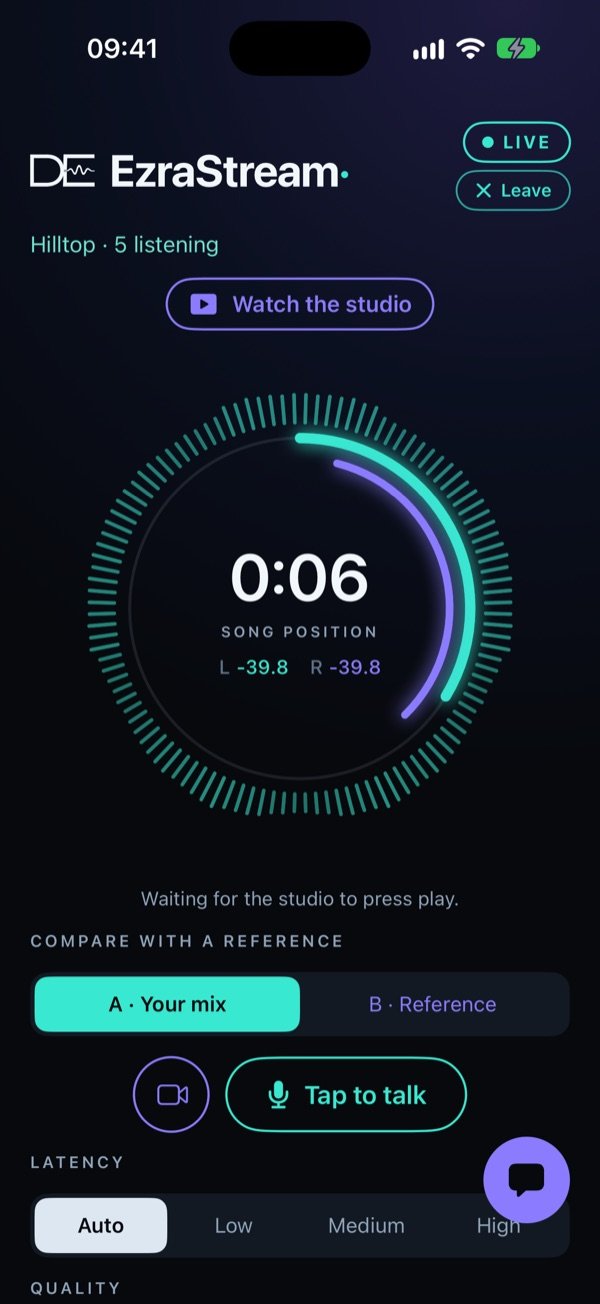
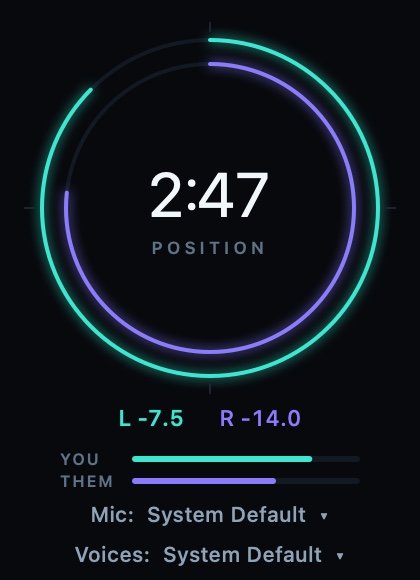
- Song position and level meters on their screen
Clients anywhere. Nothing to install.
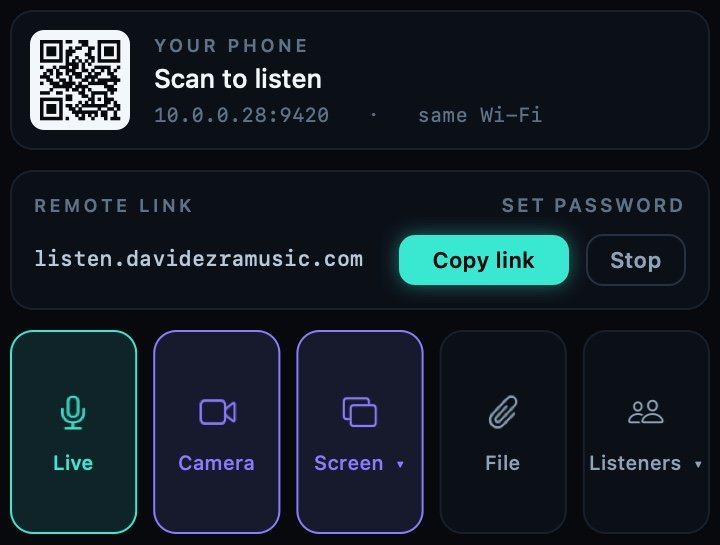
Press Share online and send the link. It opens in any browser, on a phone, tablet or laptop, anywhere in the world. In the room? Scan the QR code and listen on your own phone over Wi‑Fi.
- Opens in Safari, Chrome, Edge and Firefox
- Up to 10 listeners in each session
- Your link stays the same, session after session
- The listener page speaks their language: English, Deutsch, Français, Español and हिन्दी
Talk like you're in the same room.
Hit Talk and speak to everyone listening. They can answer from their phone. When the music stops, the mics open by themselves, so the conversation just flows.
- Two-way voice, with levels for you and them
- Your mic switches on when the first listener joins, and off when the last one leaves
- Uses the mic you already have
- Mute any listener's mic in one click, from the plugin or the menu bar
Show the session, not just the sound.
Share your DAW window or your camera, or both at once. Clients can turn on their camera too. Smooth real-time video keeps everyone on the same bar.
- Your DAW window, your whole screen or your camera
- Listeners can share their camera with you
- Full screen, with everyone's camera in small boxes
- Efficient video that stays smooth over long distances
Stream from any app on your Mac.
Not just your DAW. Pick any app in the EzraStream app and your clients hear exactly what it plays: Pro Tools, a reference in your browser, a video, a demo in a music player. Nothing to route, no virtual cables.
- Pick the app from a list; the ones playing are marked
- Or keep it to your clients only, while your headphones carry just the conversation
- Also works with any input or output pair of your audio interface
Compare your mix with any reference, live.
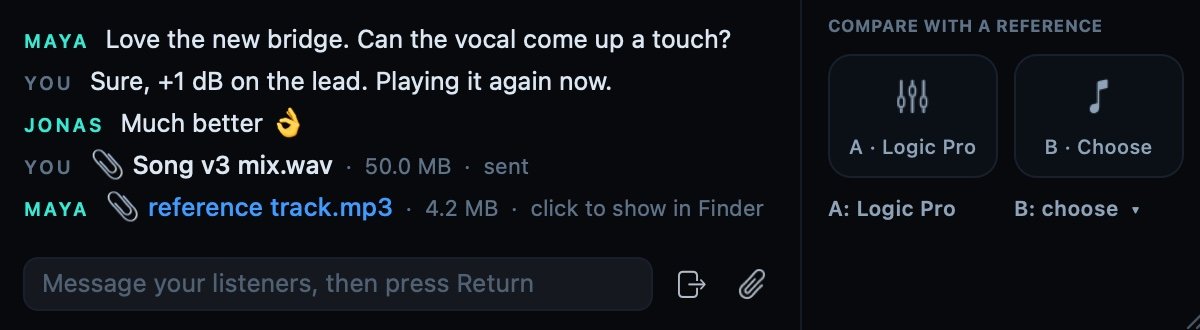
Pick a reference playing in Spotify, Apple Music or your browser, and flip between your mix (A) and the reference (B) with one click. It works in your studio too: on B your DAW goes quiet and the reference plays through your monitors, switched instantly, like a monitor controller. Your clients hear the same switch on their side, cleanly, with no click and no gap. Each side plays at its own level, exactly as it comes from its source, so what they hear is the honest comparison.
- Choose the reference from the apps playing on your Mac
- Switch from the plugin, the app or the menu bar; let clients switch too if you like
- Listeners hear the switch almost instantly, not after their buffer
- A/B in your DAW as well as in your clients' headphones: B mutes your DAW and plays the reference on your monitors, instantly
- Spotify, Apple Music, QuickTime, TV and Podcasts pause on the side you leave and carry on from where they stopped when you come back; your DAW keeps running
Send the bounce without leaving the session.
Drop a mix, stems or a reference into the chat and everyone in the session can download it. Clients send their files back the same way, straight from the browser. No WeTransfer, no email chains.
- Send files from the plugin or the browser
- Chat with everyone in the session
- Quick reactions: 👍 🔥 ❤️ 👏 and "play that again"
- Received files are one click away in Finder
Book the session. Send the link. That's it.
Schedule a meeting and your client gets a link of their own, by email or however you like. During the booked time only that link can join, so your next client can't walk in early. Your usual link works again the moment it ends.
- Pick the day on a calendar; the invite and email are written for you
- Optional session password, whenever you want one
- Session history and a running timer, ready for your invoice
Built for low latency
Audio arrives in milliseconds on Wi‑Fi and as fast as the connection allows online.
Made for phones
A clean player built for phones. It even plays with the iPhone's silent switch on.
Plugin or standalone
Use it inside your DAW, or run the standalone app and stream any audio device: your interface, a loopback, anything.
Private by design
Every session link carries its own code. Nothing you stream is recorded or kept.
Live in under a minute.
Install
Download EzraStream for Mac, open it and create your free account. The plugin appears in your DAW as AAX, AU and VST3, and the standalone app sits in your menu bar.
Add it to your master
Put EzraStream on your master bus, or any track you want people to hear.
Send the link
Press Share online and copy the link. Your client clicks it and is listening.
Simple pricing.
Start free on your own Wi‑Fi. Go Premium when your clients are somewhere else.
Free
For checking your own mix on a phone or tablet. Free download, free account.
- Stream from your DAW, or any app on your Mac, to a phone on the same Wi‑Fi
- Extremely low latency
- CD-quality audio (16-bit)
- No link for remote clients
- No talkback, chat, screen sharing, video or files
Premium
for your first year, then £59 a year. Or £5.99 a month. Cancel any time.
- All the Free features, plus:
- Your own link, so clients anywhere can listen live
- Up to 10 listeners in each session
- A/B your mix against a reference from Spotify or any app
- 24-bit, 32-bit and AAC audio
- Two-way talkback and chat
- Screen sharing: show your DAW or your whole screen
- Video: see your clients, and let them see you
- Send files from the plugin or the browser
- Scheduled meetings with their own private link
- Session password, session history and timer
Questions
Do my clients need to install anything?
No. They open your link in their browser and tap to listen. No app and no account.
Which DAWs does it work with?
EzraStream comes as AAX, Audio Unit and VST3 for Mac, so it works in Pro Tools, Logic Pro, Ableton Live, Cubase, Studio One, Reaper and other hosts that load those formats.
How good is the sound?
Up to 32-bit uncompressed, at your session's sample rate. Listeners can choose 24-bit, 16-bit or AAC 320 if their connection needs it.
How many people can listen at once?
Up to 10 listeners in each session. Anyone who opens the link while it is full joins automatically as soon as a place opens.
Do I have to use the plugin?
No. EzraStream is also a standalone app for Mac. Choose any audio device as the source, like your interface, a loopback device or a DAW's audio bridge, and stream whatever it plays: a DAW, a video edit, a live instrument or a listening session.
Is there a Windows version?
Not yet. EzraStream is Mac only for now. Your clients can listen on any device, including Windows, Android and iPhone.
Can I cancel?
Yes, any time. Premium stays on until the end of the period you paid for. If you change your mind within 14 days of first subscribing, you get a full refund.
Your next session, live.
Download it free and try it on your own Wi‑Fi today. Upgrade when your first remote client calls.